![PSII white-01-3.png]](https://kb.psii.global/hs-fs/hubfs/PSII%20white-01-3.png?height=40&name=PSII%20white-01-3.png)
What is a CRA Statement of Account and Its Purpose?
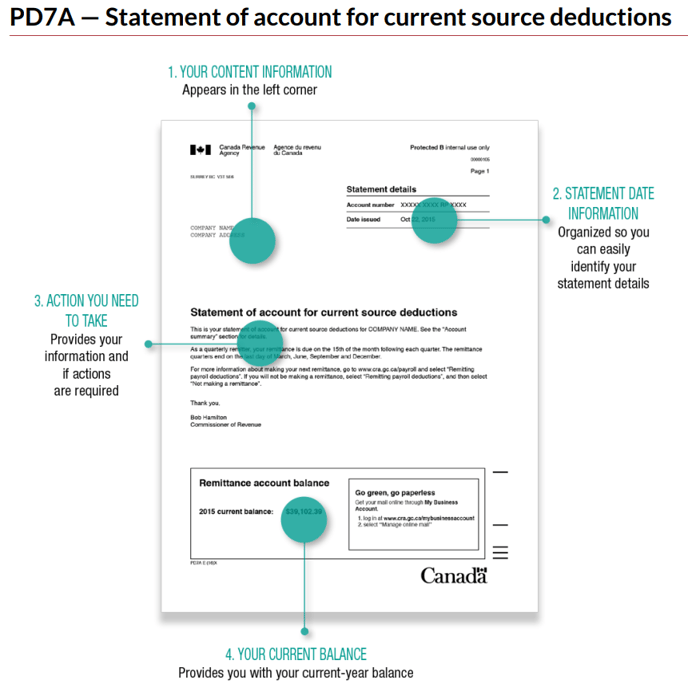
The CRA PD7A is a statement of account issued by the Canada Revenue Agency (CRA). The purpose of the CRA PD7A is to provide businesses with a summary of their payroll deductions and other source deductions for a specific period. Here are the key purposes of the CRA PD7A:
Payroll Deductions Record:
The PD7A serves as a comprehensive record of payroll deductions made by an employer on behalf of their employees. This includes income tax, Canada Pension Plan (CPP) contributions, and Employment Insurance (EI) premiums.
Summary of Source Deductions:
The statement provides a summary of all source deductions withheld from employees' wages during a specific period. This allows employers to reconcile the total deductions made on behalf of their employees.
Account Balances:
The PD7A includes information about the current account balances related to payroll deductions. This helps employers track their financial obligations to the CRA and ensures that they are meeting their payment requirements.
Payment Instructions:
The PD7A provides instructions on how and when to remit the total deductions to the CRA. It typically includes details on payment methods, due dates, and where to send the payment.
Remittance Voucher:
The statement often includes a detachable remittance voucher that employers can use when submitting their payments to the CRA. This voucher provides essential information for correctly allocating the payment to the appropriate accounts.
Recordkeeping:
Employers are required to keep accurate records of their payroll deductions and remittances. The PD7A serves as an important document for recordkeeping purposes, helping businesses maintain organized and compliant financial records.
Compliance Monitoring:
The CRA uses the information provided in the PD7A to monitor compliance with payroll tax regulations. It helps ensure that employers are deducting and remitting the appropriate amounts for income tax, CPP, and EI on behalf of their employees.
Communication Tool:
The PD7A may be used as a communication tool between the CRA and employers. It may contain important messages, updates, or reminders related to payroll tax obligations.
Employers should carefully review the information on the PD7A to verify its accuracy and promptly address any discrepancies. Failing to meet payroll tax obligations can result in penalties and interest charges. The PD7A is a crucial document for businesses to stay compliant with Canadian tax regulations and fulfill their responsibilities related to employee payroll deductions.
How to Access the Statement of Account
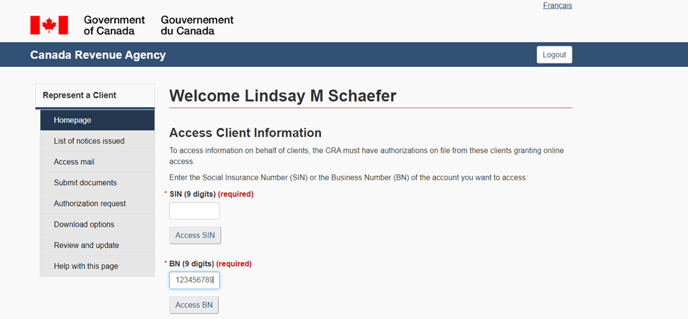
Login to CRA Represent a Client by going to the below link and entering your login credentials. https://www.canada.ca/en/revenue-agency/services/e-services/represent-a-client.html
Once logged in, you are directed to the client access page. Enter the client’s 9 digit business number and click Access BN.
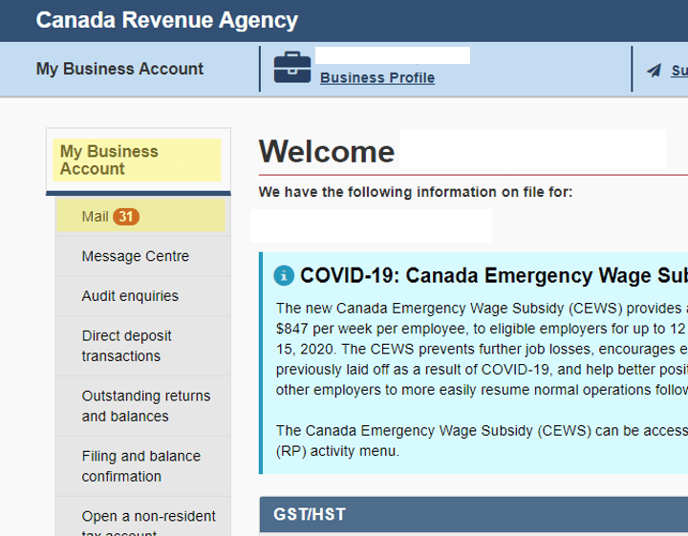
All mail corresponding to the client’s CRA accounts will appear.
Under the Status column, the status will display as Unread if the document has not been opened. If the document has been opened, the status will display as Read.
Under the Correspondence Item column, the name of the document will be displayed. If you click on the name if the document, it will open a webpage view of the document. If you click on the PDF link under the Print Format column, it will open the document as a PDF.
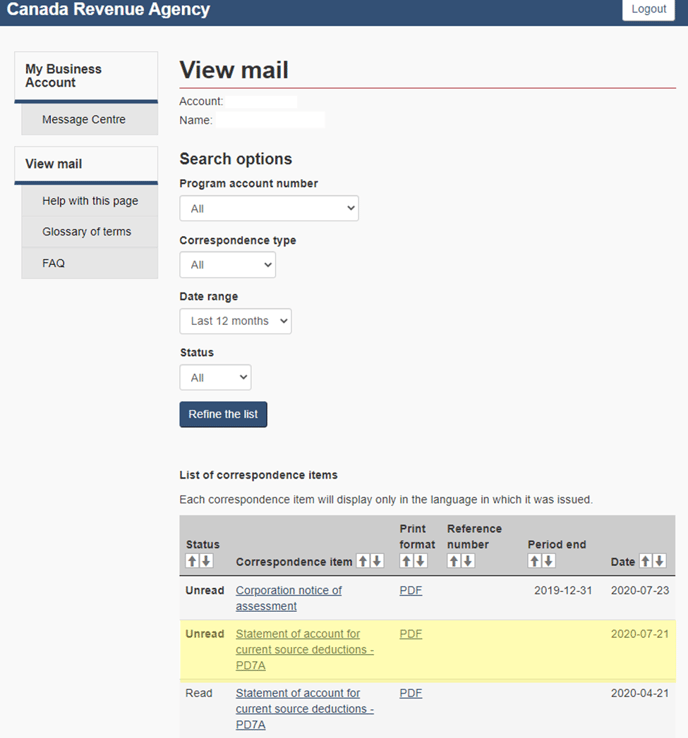
The statement of account document will be labelled as Statement of Accounts for Current Source Deductions – PD7A. Click on the PDF link beside the statement of account, the document will download at the bottom bar of the webpage.

Open the document and click on the download icon in the top-right corner.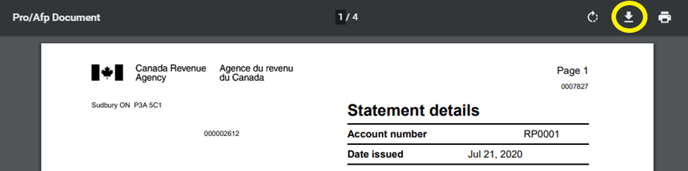
Save the reports to the client’s Statements of Account folder.
F:\Payroll_Files\PAYROLL CLIENTS\<Client Name>\Statements of Account\CRA
