![PSII white-01-3.png]](https://kb.psii.global/hs-fs/hubfs/PSII%20white-01-3.png?height=40&name=PSII%20white-01-3.png)
Scope:
This SOP is intended for individuals or organizations required to pay the Employer Health Tax in British Columbia and who need to register their account on the eTaxBC platform.
Prerequisites:
Before proceeding with the registration process, ensure you have the following prerequisites ready:- Valid email address
- Business or organization details (such as legal name, address, and contact information)
- Business or organization registration number (if applicable)
- Social Insurance Number (SIN) or Business Number (BN)
- Completed Authorize a Representative Form
Procedure:
Step 1: Access the eTaxBC Portal
Open a web browser and navigate to the eTaxBC website (https://www.etax.gov.bc.ca/).
Click on the "Register for eTaxBC" button located on the homepage.
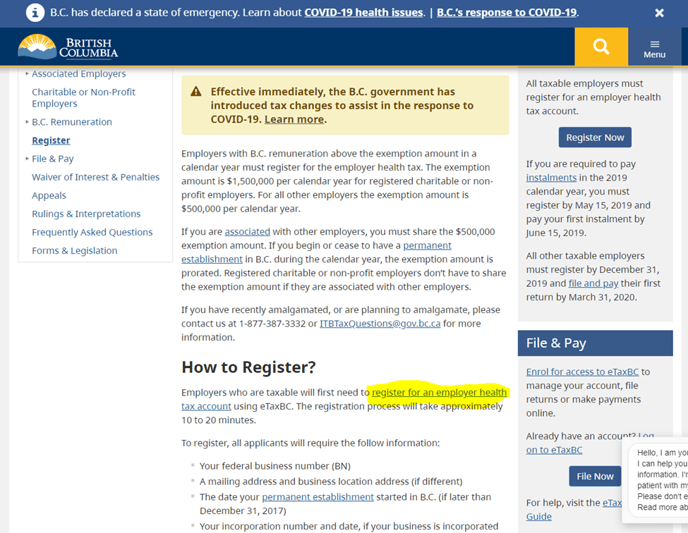
Step 2: Account Identification
Select the type of account you wish to register (e.g., Employer Health Tax).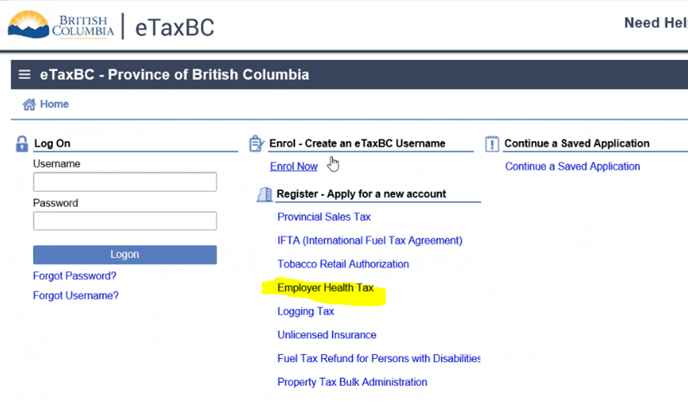
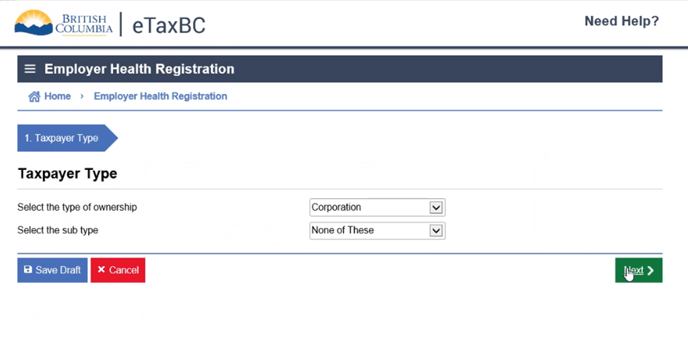
Step 3: Tax Payer Identification
Enter the TayPayer Type information.
Click "Next" to proceed.
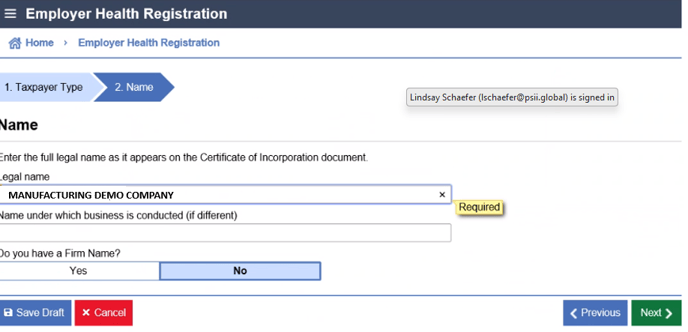
Step 4: Business Information
Enter the Client's legal and trade name (if applicable).
Click "Next" to continue.
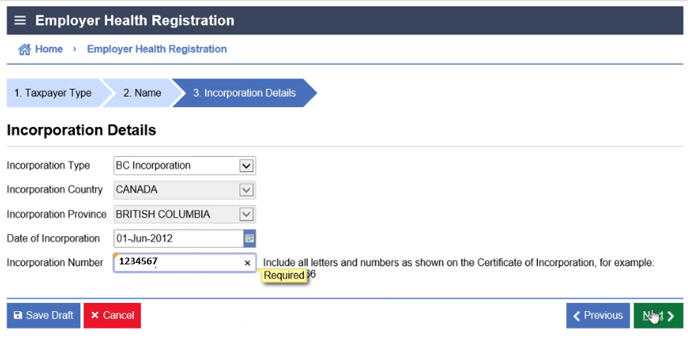
Step 5: Articles of Incorporation Information
Provide the requested incorporation details.
This information can be found in the articles of incorporation saved in the Client's Company Documents folder.
Click "Next" to continue.
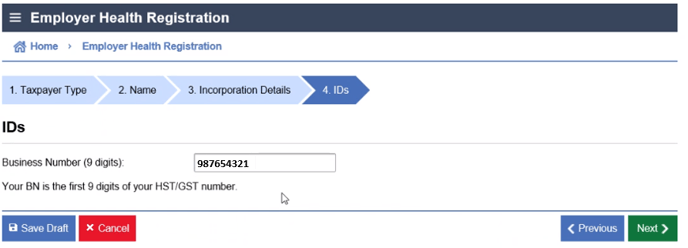
Step 6: Business Number Information
Enter the Client's 9-digit business number with CRA.
Click "Next" to continue.
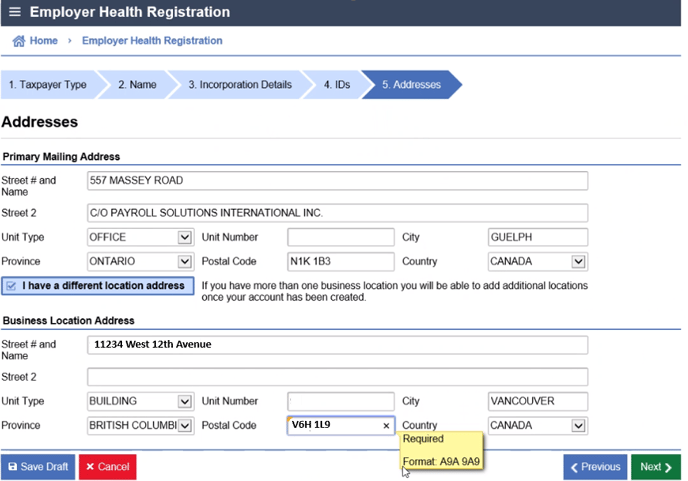
Step 7: Business Address Information
Enter the Client's business and mailing address.
Click "Next" to continue.
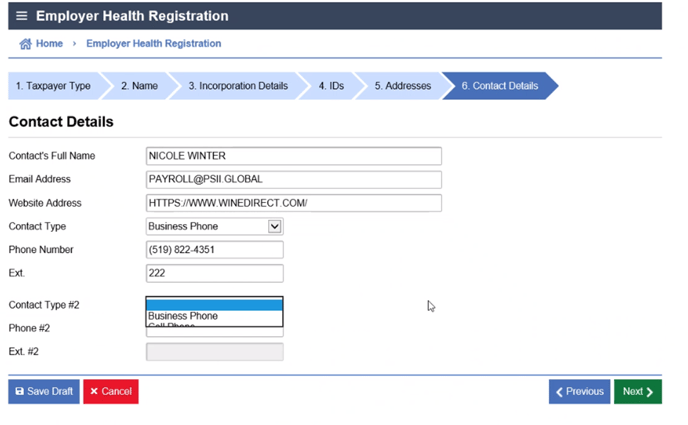
Step 8: Contact Information
Enter the contact information for PSII as our company is completing the registration on our Client's behalf.
Click "Next" to continue.
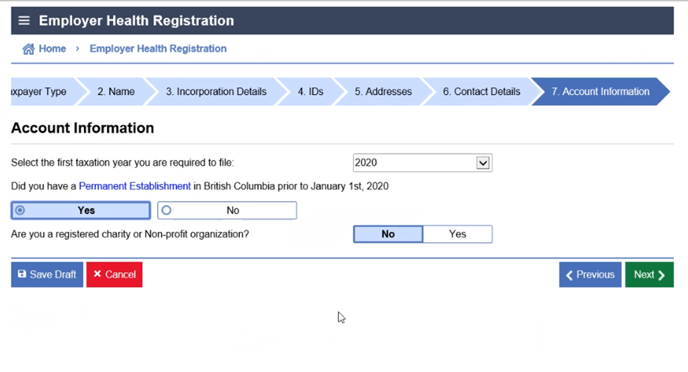
Step 9: Account Information
Enter the tax year for which the registration became a requirement.
Determine whether the Client has a permanent establishment in British Columbia.
Determine if the Client is a registered charity or non-profit organization.
Click "Next" to continue.
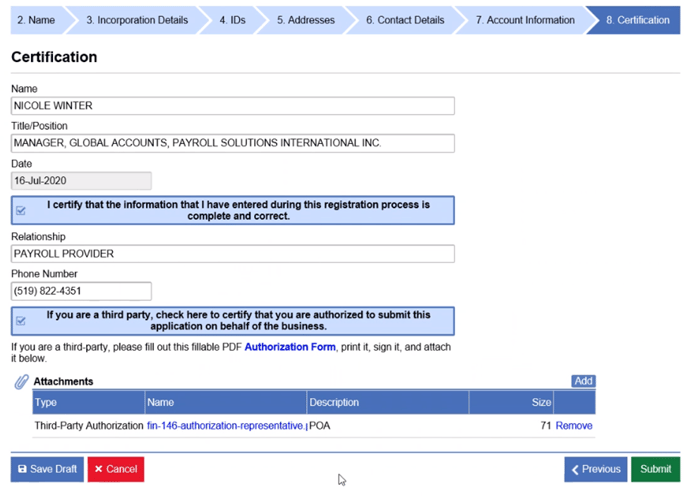
Step 10: Certification
Enter the name of the individual completing the registration and the contact information.
Since PSII is a third-party acting on behalf of the Client, attach the completed Authorize a Representative Form
Click "Next" to proceed.
Step 11: Verification and Confirmation
Review the information you provided in the previous steps for accuracy.
If everything is correct, click "Submit" to complete the registration process.
If any information needs to be corrected, click "Previous" to go back and make the necessary changes.
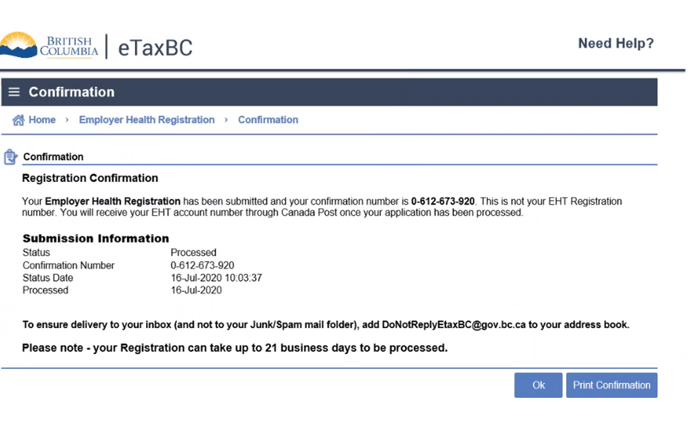
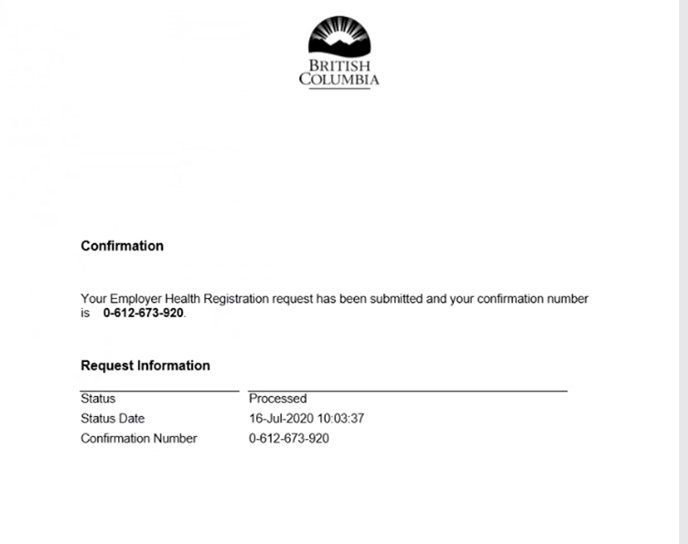
Once you click "Submit" a confirmation page will appear. Save a copy into the Client's Taxation Authorities folder.
Step 12: Confirmation Email
After submitting the registration online, you will receive a confirmation email to the email address provided during the registration process.
Open the email and follow the instructions to verify your email address.
Once verified, your EHT BC account registration is complete.
Conclusion:
By following this Standard Operating Procedure, you have successfully registered your Employer Health Tax (EHT) BC account on the eTaxBC online platform. Ensure to keep your login credentials secure and access the portal regularly to fulfill your tax reporting and compliance obligations. If you encounter any issues during the registration process, please reach out to the eTaxBC support team for assistance.