![PSII white-01-3.png]](https://kb.psii.global/hs-fs/hubfs/PSII%20white-01-3.png?height=40&name=PSII%20white-01-3.png)
Pre payroll cash requirements
During payroll processing, there are a number of ways to determine the approximate value of cash requirements from the PSII employer portal.
The first is to use the Payroll Register.
Using the last page of the Current Payroll Register from within the PSII employer portal, refer to the following data sets to determine cash requirements:
Gross + employer costs method
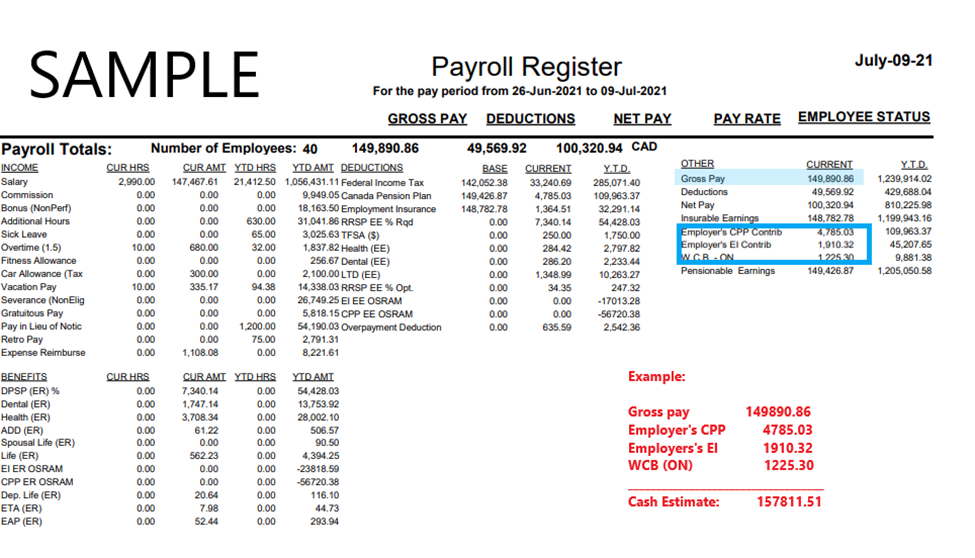
To use the gross + employer costs method, refer to the Gross pay figure on the payroll register. Add Gross pay + Other + PSII remitted benefits
Follow these steps to calculate cash requirements using the Gross + employer costs method:
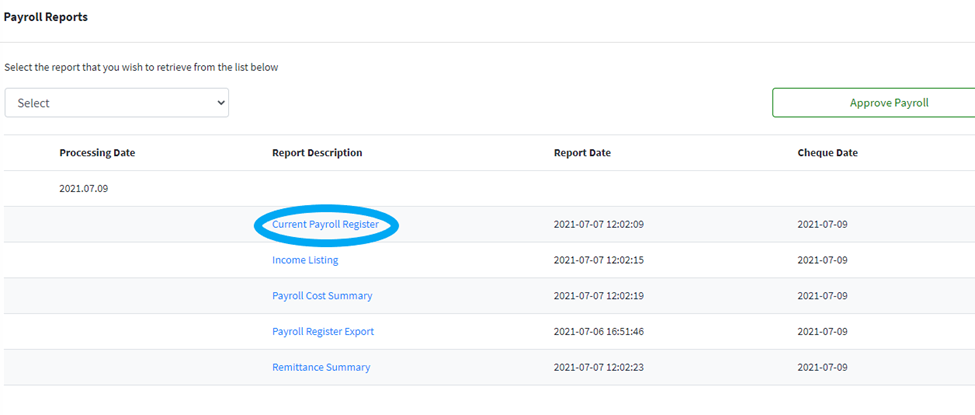
- Login to the PSII employer portal and select Reports List. From the current payroll reporting period, select Payroll Register or Payroll Register Export.
- Go to the summary page (usually the last or second last page of the report) and the figures for Gross Pay + any employer costs remitted on your behalf by PSII i.e., Employer’s CPP / Employer’s EI / Workers Compensation / Provincial Health tax etc.
Net + employee + employer costs method
To use the gross + employer costs method, refer to the Net pay figure on the payroll register. Add Net pay + employee deductions remitted by PSII + PSII remitted benefits / employer costs
Follow these steps to calculate cash requirements using the Gross + employer costs method:
- Login to the PSII employer portal and select Reports List. From the current payroll reporting period, select Payroll Register or Payroll Register Export.
- Go to the summary page (usually the last or second last page of the report) and the figures for net Pay + PSII remitted deductions i.e., income tax, Canada pension plan, employment insurance + any employer costs remitted on your behalf by PSII i.e., Employer’s CPP / Employer’s EI / Workers Compensation / Provincial Health tax etc.
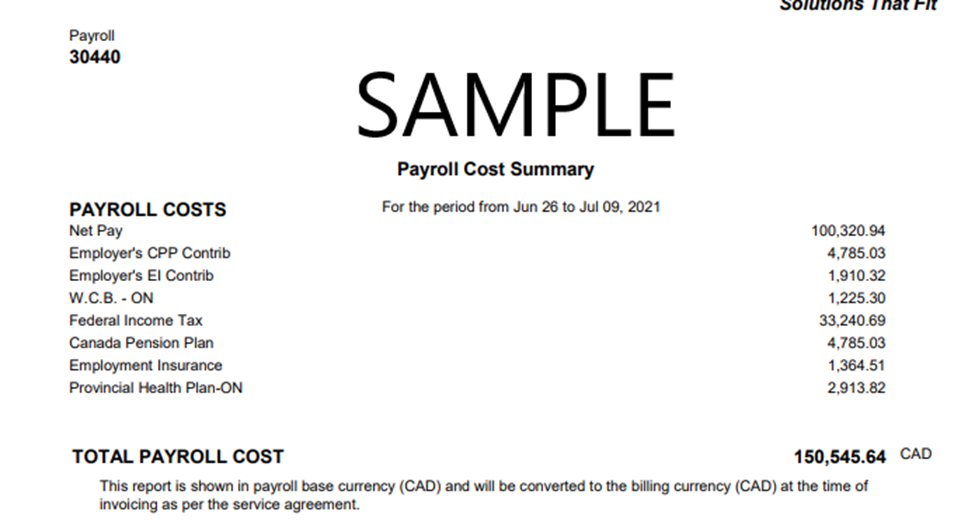
Payroll Cost summary report
PSII has designed a report specifically for the purpose of pre payroll cash requirements for your convenience. To use this report, follow these steps:
- Login to the PSII employer portal and select Reports List. From the current payroll reporting period, select Payroll Cost Summary.
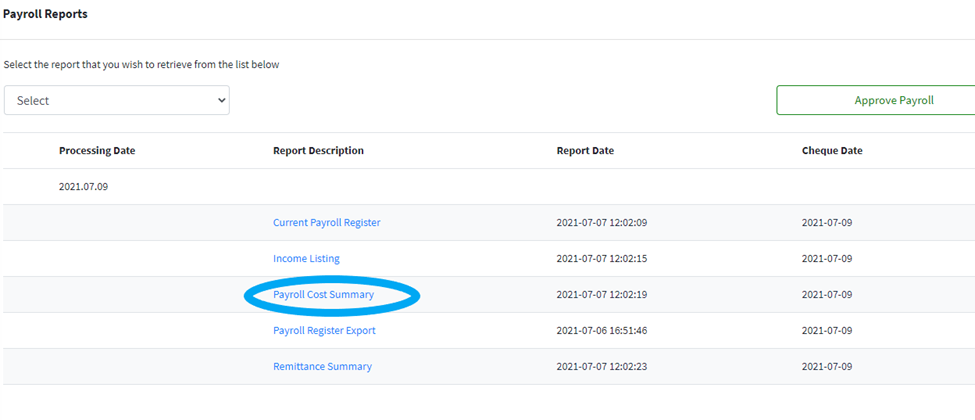
- The payroll cost summary is curated specifically to each client’s unique requirements and outlines only the costs that PSII collects/ remits on the client’s behalf. Note: the payroll cost summary excludes fees, therefore the client must account for this variance when estimating final cost prior to receiving the invoice.
Post payroll cash requirements
Once a payroll has been approved for processing, your PSII employer specialist will proceed with posting final reports including the current invoice and any post payroll reporting such as general ledger reporting, exports etc.
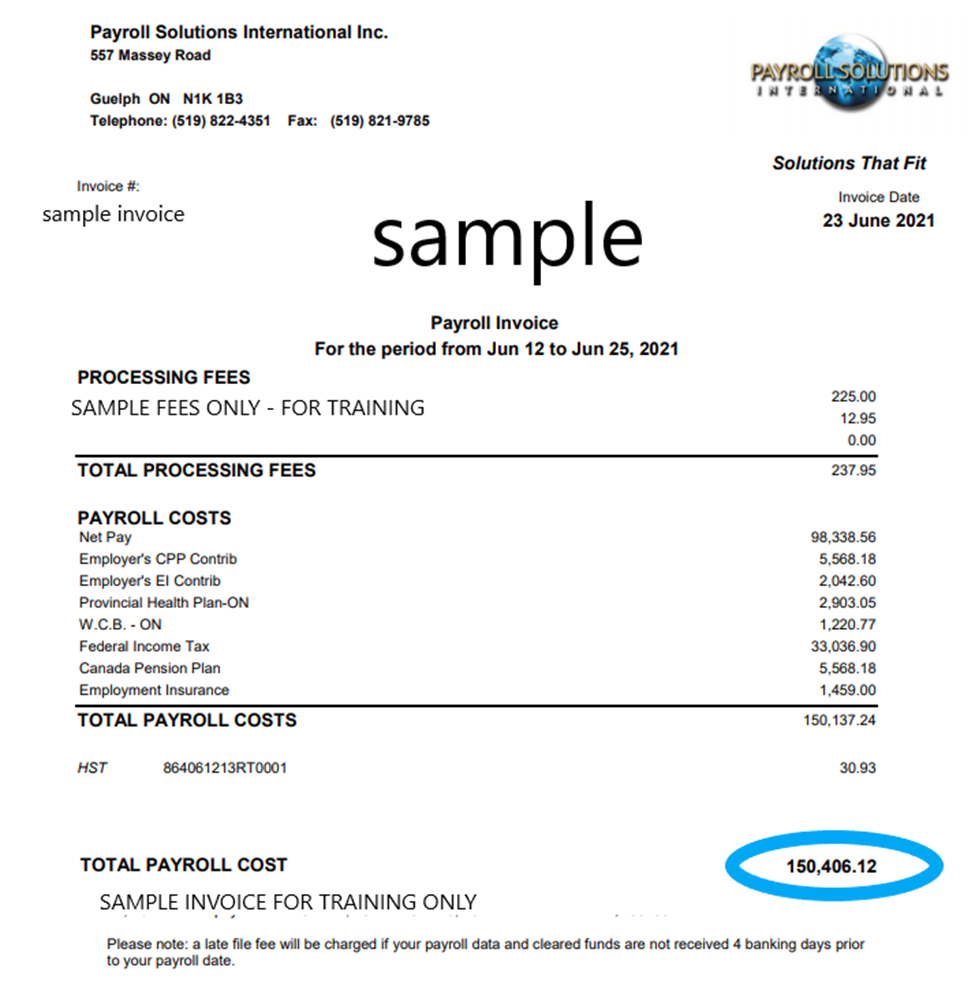
The current invoice contains a summary of the full payroll cost for the period including processing fees. This is the amount that will be drawn from a client’s account if PSII has pre-authorized debit capabilities set in place for that client. Alternatively, this is the amount that should be pushed/wired to PSII if no debiting capabilities are in place.
Refer to the total payroll cost line at the bottom of the invoice for the total amount due.