![PSII white-01-3.png]](https://kb.psii.global/hs-fs/hubfs/PSII%20white-01-3.png?height=40&name=PSII%20white-01-3.png)
Procedure:
- Login to PaySolution
- Navigate to Head Office Administration, then Adjustments
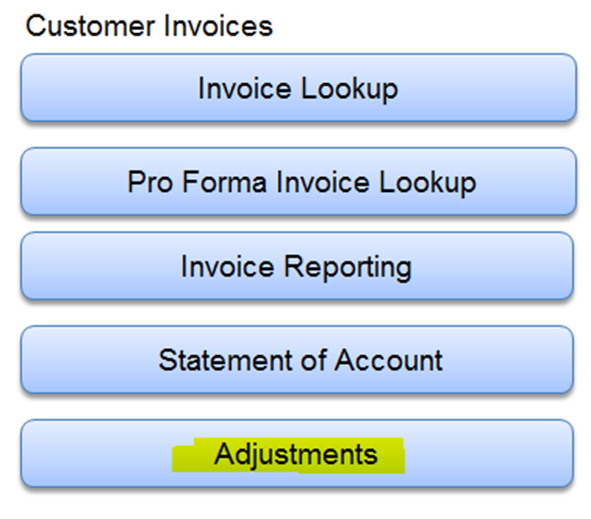
- Select the billing company and associated payroll, then add fee line items.
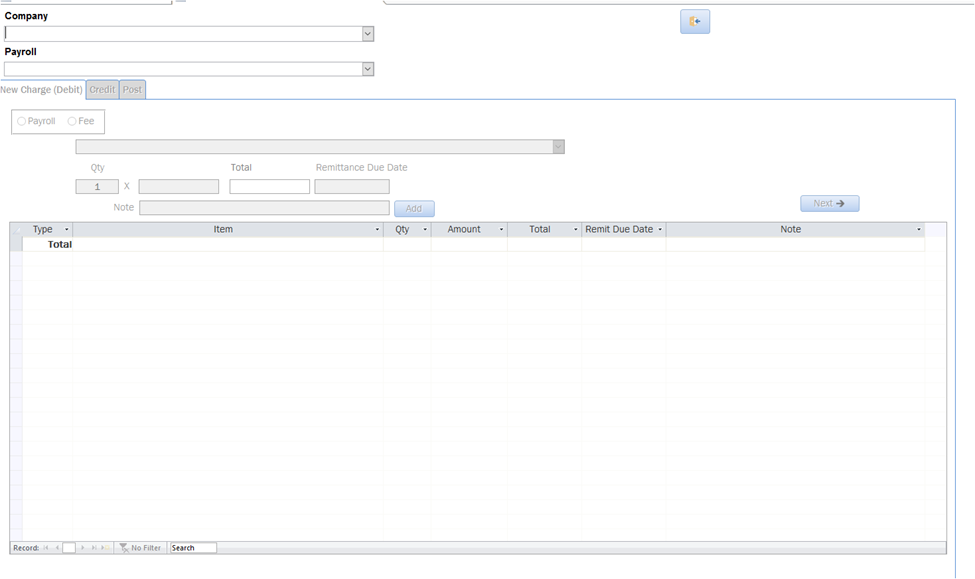
Below is the information to be completed on the invoice screen.
- select Company
- select Payroll
- select the Fee radio button
- select the Fee item from the drop down menu
- enter the billing quantity and fee amount (the system will automatically calculate the fee total based on quantity X fee amount)
- click Add
Repeat the above steps for each billable item. You can add as many fee line items as needed for the Client/Payroll you are invoicing for.
The note section is optional. If you are billing for multiple months, the note section could be used to reference the month for example.
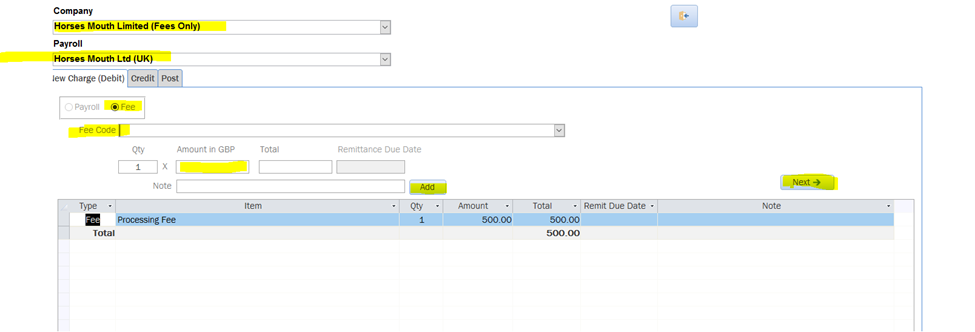
- Once finished, click the next button
- Enter an invoice description
- Click Post
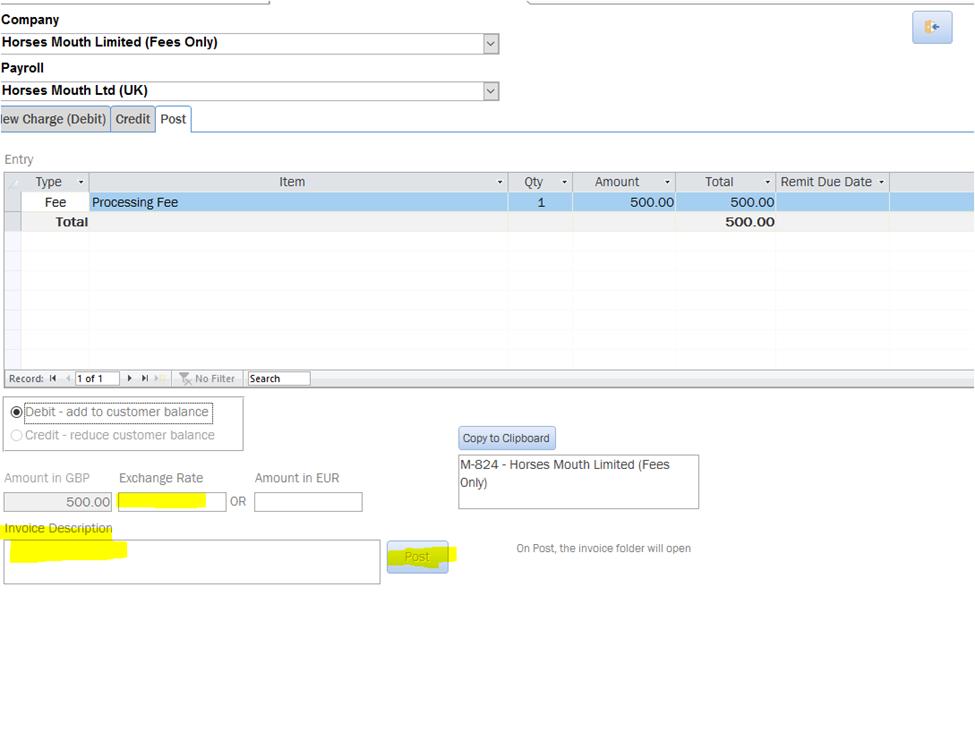
- The system will open up the M drive where the invoice is saved. Copy and paste the invoice into the client's F drive folder
- Upload the fee invoice to the client’s portal and notify the client that the invoice has been made available.